
S'moresUp - Smart Chores App
Rotation 5, LLCParenting
3.1423.00 Reviews
- Version
- 10.07.24
- Installs
- 100.00K
- Age Rating
- Everyone
Screenshots
Our Review of S'moresUp - Smart Chores App
 Analysis by Appyee
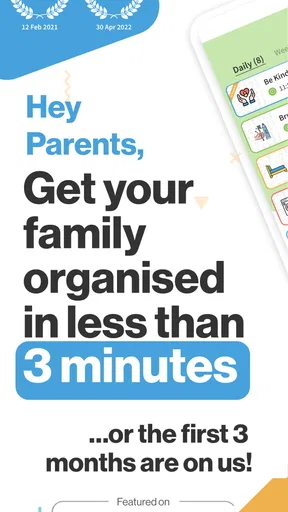
Getting a household to agree on chores is rarely a matter of knowing what needs doing. The harder part is remembering, assigning, checking, and keeping the conversation from turning into another argument. I spent time looking at how S'moresUp - Smart Chores App approaches that problem, and my impression is that it works best as a shared family routine rather than as a simple checklist. It is a free parenting app from Rotation 5, LLC, aimed at making responsibilities visible and easier to coordinate.
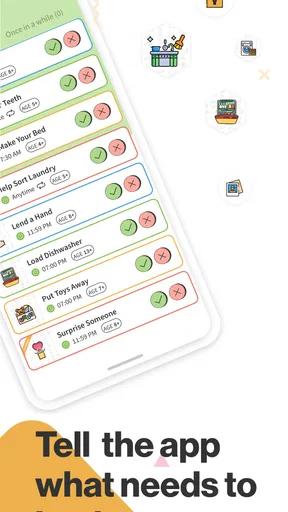
The central idea is practical: put household jobs into one place so parents and children can work from the same plan. That sounds modest, but it changes the tone of chores when everyone can see what belongs to them instead of relying on one person to remember every detail. The app has attracted over 100 thousand installs, although its average rating sits at 3.1 from around 1 thousand ratings and 423 written reviews. That combination tells me it has a useful concept, but the experience may not feel equally smooth for every family.
How S'moresUp fits into a connected family routine
I look at connected family routines as a way to make the plan visible without making the phone the family’s only source of truth. In this section, I consider how S'moresUp can sit alongside ordinary conversations and household cues, especially when responsibilities pass between parents and children. That balance matters most when several people need to stay aligned, which leads into the practical question of how to handle handoffs.
The first setup matters more than the download
I would not judge this app by opening it once and adding a single task. Its value depends on the quality of the family system built inside it. A parent needs to think through which jobs repeat, which ones belong to particular children, and which responsibilities should remain flexible. If the setup is rushed, the app can become another neglected list. If the household agrees on a sensible structure first, it has a better chance of becoming part of the week.
I found the most useful approach is to begin with a small set of visible responsibilities instead of trying to document every household activity. Daily basics, a weekly room task, and one occasional job are enough to test whether the family actually checks the app. This is one of the less obvious trade-offs: adding more detail can make the system feel organized to the parent who creates it, but overwhelming to the child who has to use it.
Because this is a parenting tool, the human agreement around each task is just as important as the digital assignment. “Clean your room” can mean very different things to different people. A more specific instruction gives the app a fairer role: it records an agreed responsibility instead of becoming the place where vague expectations are announced. I would settle those definitions before inviting everyone into the routine.
When connectivity helps the household stay aligned
The connected nature of a chore app becomes most noticeable when several people need the same information. A parent may assign a responsibility while moving through the day, while a child checks what remains before starting homework. That shared timing is more useful than a paper chart when plans change, because the household can work from the current version rather than from a sheet that may be out of date.
There is also a social advantage to having a common reference point. Instead of repeatedly asking whether a job was done, a parent can look at the family’s current chore plan. That does not eliminate reminders, but it can reduce the number of small negotiations that drain attention. In my view, this is where the app earns its place: not by making chores exciting, but by moving some memory work out of conversations.
Still, the benefit depends on people being able to reach the service when they need it. A family member checking a task during a busy morning is having a different experience from someone calmly reviewing the schedule at home. Network availability, sign-in state, and the responsiveness of the phone all become part of the routine. I would treat the app as a connected coordination layer, not as a replacement for a spoken reminder in every situation.
Using it away from the kitchen table
Mobile use is especially relevant here because chores happen in different rooms and at different moments. A child might check responsibilities after coming home, while a parent might make an adjustment from work or while shopping. The phone-based format is more convenient than keeping a large household chart visible in one location, particularly when family members do not share the same schedule.
That convenience has a limit. A phone can also be distracting, and a child who already struggles to move from screen time to a household task may not welcome another app-based step. I would avoid presenting it as a reward or entertainment layer. The stronger use is straightforward: open it, understand the responsibility, complete the job, and move on.
For younger children, the app may work better when an adult introduces the routine rather than simply saying, “Check the app.” Reading the task together, explaining what completion looks like, and then letting the child take ownership creates a gradual handoff. Older children may appreciate the independence, while younger ones may still need a visible household cue alongside the digital plan.
A realistic weekday example
Imagine a family with two children arriving home at different times. One child has a regular after-school responsibility, while the other has a weekly task that is due later in the evening. A parent notices that the usual timing will not work because dinner is earlier than expected. Instead of repeating the change to everyone separately, the parent can update the shared chore arrangement and ask each child to check the current plan.
The useful part is not the individual edit. It is the reduction of ambiguity. Each child knows which responsibility is theirs, and the parent has a clearer way to see whether the change was understood. If the household later discovers that one task consistently clashes with an activity, that pattern can guide a better assignment next week. This turns the app into a small feedback loop for family logistics.
However, I would not make the app the only source of urgency. If the dishwasher needs attention before guests arrive or a pet-related job is time-sensitive, a direct conversation remains faster and more reliable. The app is better for repeatable structure than for emergencies.
What happens when the routine breaks
Every chore system eventually meets a missed task, a forgotten check-in, or a day when the family is away from its normal schedule. The important question is whether recovery feels simple or whether one missed step makes the whole plan feel broken. My advice is to use the app as a record of the next useful action, not as a reason to reconstruct every detail of the past.
If a child forgets a responsibility, I would avoid filling the system with a long explanation. A brief conversation can establish whether the task should still be completed, moved, or handled by someone else. Then the digital plan can return to normal. This prevents the app from becoming a courtroom where every missed chore is documented but no practical solution follows.
Connectivity can complicate that recovery. A change made by one person is most helpful when the other people involved can access the updated plan. If someone is temporarily unable to connect, the family should agree on a simple fallback, such as a spoken reminder or a note at home, and then reconcile the plan later. I would not assume that a digital update has been seen merely because it was made.
This is also why I recommend a short weekly check rather than constant monitoring. The family can review assignments, identify conflicts, and remove tasks that no longer make sense. That habit is more resilient than expecting every person to respond perfectly every day. It also keeps the parent from becoming a full-time administrator.
Using the app without wasting attention or data
Families who are careful about mobile data should think about when they open and update the app. The most data-conscious pattern is to review responsibilities at predictable points, make necessary changes together, and avoid repeatedly refreshing just to see whether something has changed. I cannot treat the app as an offline tool, so I would plan around the need for a working connection when the household must access current information.
That does not mean it has to dominate phone use. A parent can establish a morning or evening review window, while children check only when they are ready to act. This keeps the app focused on coordination instead of turning it into another stream of notifications or screen checks. It is a small behavioral choice, but it makes the system feel less intrusive.
There is another data-conscious consideration: not every family member needs the same level of involvement. If a child is too young to manage the app independently, an adult may only need to show the relevant responsibility at the right moment. Giving everyone a role before they are ready can create extra account activity and extra confusion without improving completion.
The free entry point makes it easy to try the routine before spending money. In-app purchases range from $0.99 to $79.99 per item, so I would pay attention to any optional upgrade screens and decide whether a paid feature solves a real household problem. A family should first prove that it will consistently use the basic workflow. Paying for more capability will not fix unclear assignments or a routine that nobody checks.
Who will appreciate it, and who may prefer something simpler
I think S'moresUp is a good fit for parents managing several children, changing schedules, or recurring responsibilities that are easy to forget. It is also useful for families trying to shift from parent-controlled reminders toward shared accountability. The app gives those households a central place to start a conversation about ownership.
I am less convinced it is the right choice for someone who wants a private personal checklist, a very lightweight reminder, or a system that works without depending on a connected family workflow. A basic notes app, calendar, or paper chart may be faster for one person managing a few occasional jobs. Those alternatives lack the family-specific structure, but their simplicity can be an advantage when coordination is not the real problem.
Families should also consider temperament. Some children respond well to visible responsibilities and a sense of independence. Others may interpret a digital chore system as surveillance or as another demand placed on their phone. In that case, the best option may be a hybrid arrangement: use the app for the parent’s planning, then discuss the child’s responsibilities face to face.
The Everyone content rating makes the app broadly approachable, but that does not automatically mean every child will use it without guidance. Age, reading ability, device habits, and family expectations matter more than the label alone. I would introduce it as a shared household tool, not as a substitute for teaching why a responsibility matters.
Version, support expectations, and everyday friction
The current version is 10.07.24, and the app requires Android 5.0 or later. That gives it a relatively broad Android reach, which is helpful in families using a mixture of older and newer phones. Even so, a compatible operating system does not guarantee that every device will feel equally quick or convenient. Screen size, connection quality, and how often a phone is used all affect the practical experience.
Rotation 5, LLC has positioned the product specifically around smart parenting and household chores, rather than treating chores as a generic task-management problem. That focus is valuable because family responsibilities involve negotiations that ordinary productivity apps often ignore. At the same time, specialized design can feel heavier than a plain checklist for users who do not need family coordination.
The rating of 3.1 is worth taking seriously without treating it as a final verdict. Around 1 thousand ratings and over 400 written reviews show that enough people have tried it to reveal mixed reactions, not just first impressions. I would install it with a clear trial plan: create a small routine, involve the people expected to use it, and judge whether it reduces reminders after a week or two. If it adds administration, remove it rather than forcing the household to comply.
My connectivity verdict
My overall view is that S'moresUp - Smart Chores App is most convincing when a family needs one shared, mobile place for recurring responsibilities. Its strength is not that it makes chores disappear. It gives parents and children a common reference point, which can make assignments clearer and reduce repeated questions. That advantage becomes stronger when schedules change and several people need the same updated plan.
The connected design is also its main condition. The app works best when family members can access the current routine at the moment they need it and when everyone understands that a digital update is part of a larger conversation. I would keep a simple human fallback for missed connections, urgent jobs, and younger children who are not ready to manage a phone-based system alone.
My practical recommendation is to start small, test the household habit before considering in-app purchases, and use the app to support accountability rather than replace parenting. If your family has several recurring chores and too many reminders are falling on one person, it is worth trying. If you only need a quick personal list or strongly prefer an offline chart, a simpler alternative may serve you better.
For the right household, this free parenting app can turn chores from scattered instructions into a more visible agreement. For everyone else, its value will depend less on the feature set than on whether the family is genuinely ready to share responsibility through a connected routine.
Verdict
Strengths of S'moresUp - Smart Chores App
- Clear chore assignments help children understand their responsibilities.
- Parents can track completed tasks without constant reminders.
- Reward options make routine chores more motivating for kids.
- Family accounts support shared organization across multiple children.
- Recurring schedules reduce the effort of planning household tasks.
Limitations of S'moresUp - Smart Chores App
- Some useful features may require a paid subscription.
- The setup process can feel lengthy for larger families.
- Children may need reminders to check the app consistently.
- Reward systems require parental monitoring to stay fair and effective.
- Notifications can become distracting if too many chores are scheduled.
Similar Picks in This Category
View All
Family Space
Motorola Mobility LLC.3.9

شرطة الأطفال - مكالمة وهمية
Oub Apps4.1

Findmykids: Parental Control
LETEM LTD4.6

Pregnancy + | Tracker App
Philips Electronics UK Limited4.8

Policía de niños - para padres
Kids police4.7

Pregnancy App
Amila4.9
Frequently Asked Questions
What is S’moresUp – Smart Chores App used for?
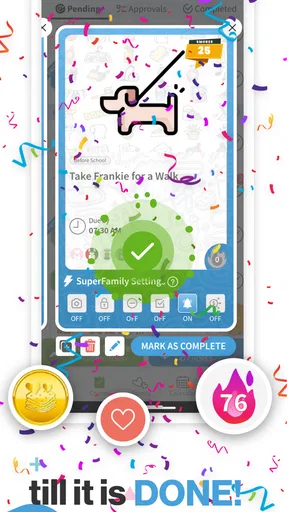
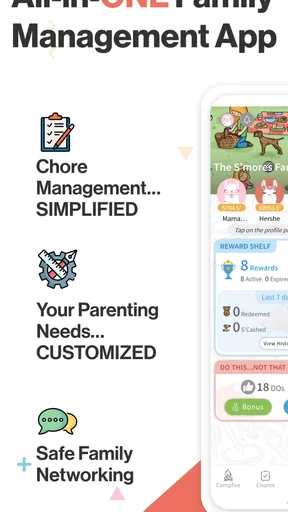
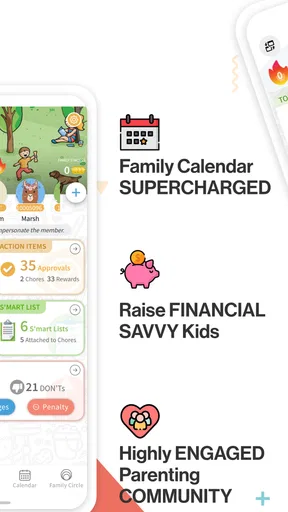
S’moresUp is a family organization app designed to help parents assign, schedule, and track household chores. After setting up family members, you can create recurring or one-time tasks, add deadlines, and monitor completion from a shared dashboard. It also combines chores with routines, rewards, points, and family goals, making everyday responsibilities more visible and easier to manage.
How does S’moresUp assign chores to children and family members?
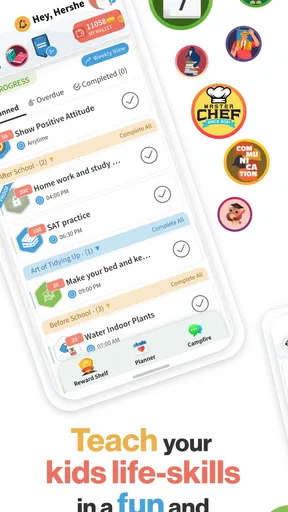
The app lets parents create individual chores or reusable task templates and assign them to specific family members. You can usually include instructions, due dates, repeat schedules, and optional approval requirements. Children can view their assigned responsibilities, mark tasks as completed, and submit them for review when needed. This setup is useful for dividing work fairly and adapting tasks to each child’s age.
Does S’moresUp include rewards, points, or allowances?
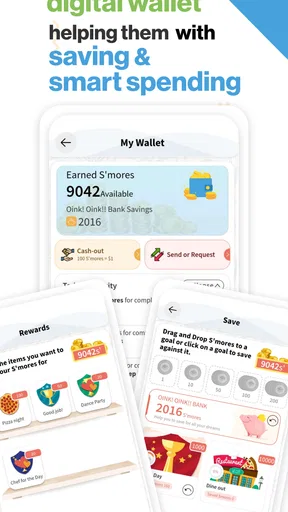
Yes, S’moresUp is built around motivation features such as points, rewards, achievements, and family goals. Parents can decide what completed chores are worth and create incentives that fit their household, including privileges or allowance-related rewards. The exact options may depend on the current app version or subscription plan, so families should review the available settings before relying on it for financial allowance management.
Is S’moresUp free to download, and does it require a subscription?
S’moresUp can generally be downloaded at no initial cost, but some advanced tools may require an in-app purchase or premium subscription. Free access and paid features can change over time, so it is important to check the current listing in the Google Play Store or Apple App Store before downloading. Also review trial terms, renewal settings, and whether the subscription applies to the whole family account.
Is S’moresUp suitable for younger children and safe for family use?
The app can be useful for children who are old enough to understand simple instructions and use a phone or tablet with parental guidance. Parents control the family setup, assignments, rewards, and account permissions, which helps keep the experience organized. However, families should still review privacy settings, supervise device use, and avoid entering unnecessary personal information, especially when younger children are included.
